In active developmentPublic access not yet available
Build the world. And everything in it.
A C# engine for 2D, isometric, and 3D games. Build the scene, shape its characters,
paint their surfaces, compose the soundtrack, and give it all rules to play by.
The creative tools and the game runtime grow together.
Build props and characters as editable 3D models, from their first silhouette to their final topology.
Explore modelling tools
Primitives, profile-based forms, sweep, lathe, extrude, inset, and bevel
Vertex, edge, and face selection; pivot transforms and multi-cut loop cuts
Mirror, array, solidify, subdivision, and boolean operations
Organic brushes, masks, face sets, remeshing, and retopology
UV unwrapping, atlas packing, and glTF export
TEXTURES & MATERIALS
Conqrex Canvas
Give a model its colour, surface, and wear with editable material and texture authoring.
Explore surface tools
Layered PBR texture documents and procedural material inputs
Projection painting, masks, and material channels
Normal and ambient-occlusion baking
Preview materials on the model and export their texture maps
RIGGING & ANIMATION
Conqrex Rig
Turn the model into a character that can move, react, and carry equipment.
Explore motion tools
Skeleton authoring, skin weights, and inverse kinematics
Keyframe clips, animator state machines, and pose graphs
Mirroring, sync markers, inertial blends, and root-motion baking
Export animated glTF while retaining editable rig and clip sources
SPRITES & 2D ANIMATION
Conqrex Pixel
Draw a sprite, refine its palette, and build the frames that make it feel alive.
Explore pixel tools
Layers, groups, frames, tags, slices, and onion skin
Brushes, shapes, fill, gradients, text, symmetry, and dithering
Palette editing, pixel-perfect drawing, and bone rigs with IK
Aseprite import; PNG, GIF, and sprite-sheet export
Eight-direction character animation sets
COMPOSITION & SOUND
Conqrex Music
Build a score from sections and recurring motifs. Keep the notes editable, shape each phrase, and let gameplay change how it plays.
Explore music tools
Piano roll, drum grid, patterns, groove, automation, and MIDI recording
Editable section and motif plans compiled into shared song patterns
Phrase dynamics, shared accents, note lengths, and breathing space between phrases
Synth, FM, wavetable, and multisample instruments; MusicXML and SFZ import
Mixer inserts, sends, sidechain compression, and convolution reverb
Sample editing, time-stretch, pitch-shift, and transient slicing
Stem exports, adaptive graphs, musical transitions, and stingers
LOCAL AI IMAGE WORKFLOW
Conqrex Forge Optional
Connect a local image model when you choose to add generative images to your workflow. Forge is not required for the built-in asset tools and was not used in Beasts of Burner or Knux.
Only when using Forge: install a separate local model service and compatible model files. Hardware requirements depend on the model you choose.
Explore the optional integration
Text-to-image, plus image-to-image with compatible ComfyUI workflows
Style presets, LoRA inputs, and ControlNet guidance
Use the current Pixel frame as a reference
Import generated images into the project for further editing
Shader Graph & Spark
Author material graphs and multi-emitter particle effects. Bring shaders, lights,
and effects into the same scene as the assets they belong to.
Dialogue & Sequencer
Build branching conversations and cinematic timelines with camera paths, animation,
audio, and event cues. Drive dialogue from gameplay and save its progress.
03 / LAND, SEA & SKY
Shape the ground. Set the atmosphere.
Build the places a player moves through. Sculpt the land, paint its surfaces,
and carry the scene from open water to the sky above it.
CONQREX TERRAIN STUDIO
A landscape you can keep shaping.
Raise a ridge, carve a path, and blend rock into soil. The terrain stays editable in the project,
with live scene previews and shared undo.
Use the same heightfield for the visible ground, a configured terrain collider, and navigation.
01 / FORM
Find the shape
Sculpt heights, smooth slopes, cut holes, and build ramps or terraces. Start from a heightmap or generated land, with thermal and hydraulic erosion tools.
02 / SURFACE
Paint the landscape
Blend up to eight material layers. Paint by hand or use slope and height rules, with textures authored in Canvas.
03 / IN THE WORLD
Keep it connected
Chunks use distance LOD. Terrain edits update the affected chunks, while saved terrain assets travel with their layer textures.
OCEAN & PROCEDURAL SKY
A different hour. A different world.
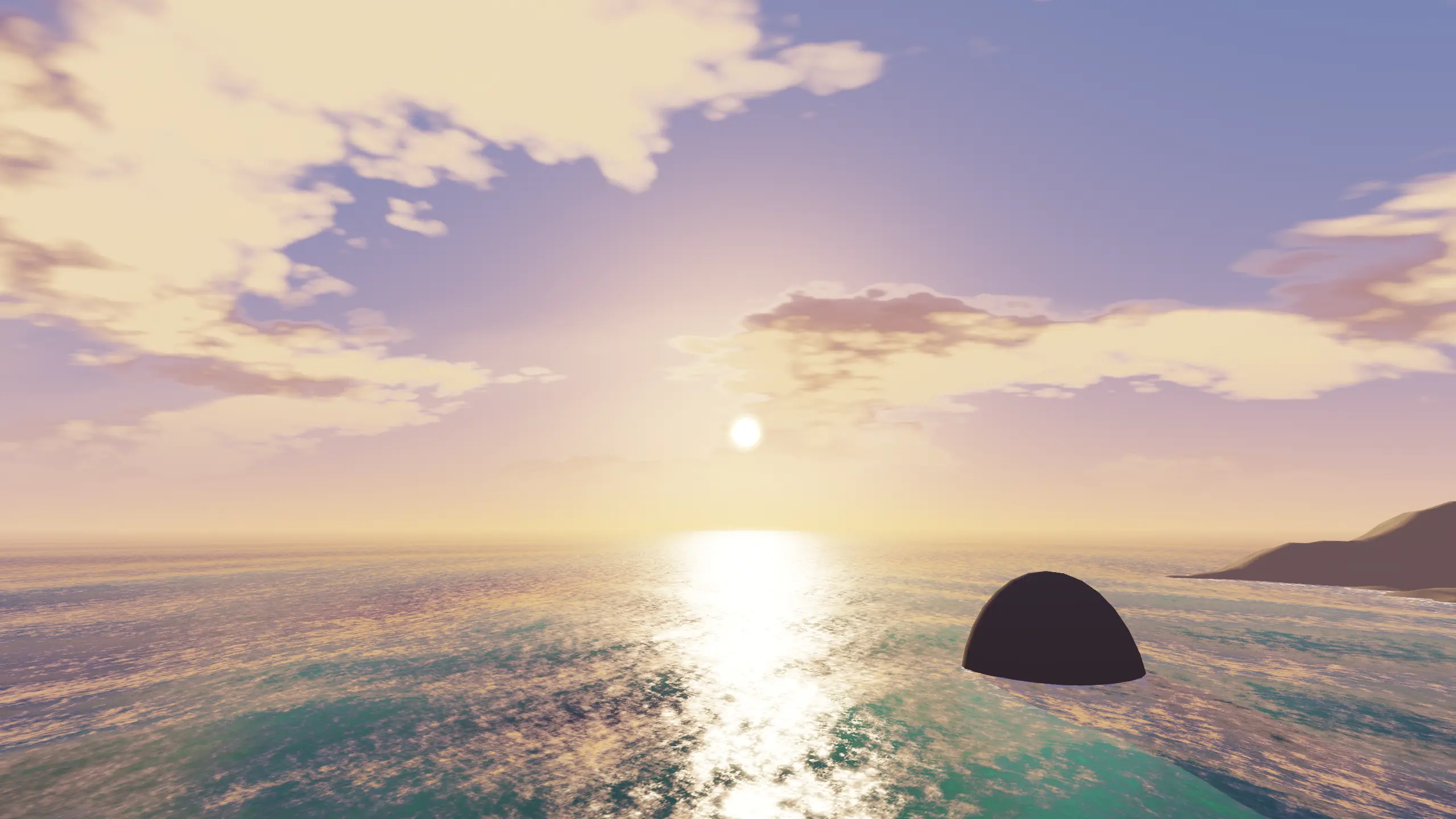
Let waves reach the horizon. Change the wind and sea state, catch the sun on the surface,
or take the camera underwater.
Waves, crest and contact foam, refraction, and depth colour
Underwater fog, light shafts, and caustics
Sun and moon lighting, stars, moving clouds, and lightning controls
Surface height and normal queries for gameplay
01 / GOLDEN LIGHTOpen water, changing light.02 / AFTER DARK03 / BELOW THE SURFACE
Actual native renderer studies · Open any image at 2560 × 1440.
WebGL2 uses simplified terrain colours and ocean/sky shading. Detailed terrain layer textures, ocean refraction,
contact foam, and the underwater pass use the advanced renderer. Procedural terrain streaming remains separate from authored terrain;
streamed chunks do not automatically gain collision or navmesh baking.
04 / THE RUNTIME
Give the world its rules.
C# gameplay composes an entity-and-component world. Fixed-step simulation and
interpolated presentation let the game’s rules and its visuals run at their own pace.
Rendering & environmentsSprites, isometric worlds, and lit 3D scenes.
2D & 2.5D
Batched sprites, atlases, tilemaps, parallax, and isometric sorting
2D point and spot lights, occluder shadows, and day–night lighting
Sprite-sheet animation and deterministic particles
3D
PBR materials, clustered lighting, HDR emission, and per-material colour variants
Directional cascades plus point and spot light shadow atlases
Instancing, frustum culling, skinned models, and distance LOD
Bloom, colour grading, ambient occlusion, screen-space reflections, and depth of field
Temporal anti-aliasing with rigid, skeletal, and morph motion vectors
Layered terrain, grass, oceans, procedural skies, and cameras rendering into UI textures
WebGPU and native backends provide the advanced renderer. WebGL2 includes a 3D compatibility tier with directional shadows; HDR post-processing, reflection probes, and point/spot shadows require the advanced tier. Streamed terrain rendering does not automatically create chunk collision.
Physics & movementDeterministic bodies, controllers, joints, and vehicles.
Fixed-point 2D and 3D rigid bodies, material friction, collision filters, and sensors
Raycasts, overlaps, shape casts, continuous collision, and sleeping
Cooked static triangle meshes and heightfield collision
Moving-platform support, fast-moving obstacles, and crush events
Mechanical joints, motor hinges, sliders, and raycast-wheel vehicles with detachable parts
Top-down, platformer, and character controllers
Vehicle handling and complex contact cases continue to receive stability and performance work.
Navigation & crowdsBuild a route, see it in the editor, and ship the prepared mesh.
2D grid A*, clearance-aware routing, and shared flow fields
Budgeted flow-field construction for larger groups of agents
Tiled 3D navmeshes, area costs, off-mesh links, and local rebuilds
Baking from static primitives, convex collision, triangle meshes, and terrain heightfields
Scene overlays, route previews, and navigation inspection through agent tools
Cooked navmesh assets, with changed or stale tiles rebuilt when needed
Destination selection that respects the agent’s connected floor
Deterministic crowd steering and obstacle avoidance
Procedurally streamed terrain is not baked into the navmesh. Baking and cooked-mesh loading currently run within a single simulation tick.
Character animationFrom an eight-direction sprite to a layered skeletal performance.
Sprite clips and directional character animation
GPU skinning, morph targets, and bone attachments
State machines, blend spaces, additive layers, and bone masks
Clip crossfades and a masked overlay on the skinned clip player
Mirrored states, sync markers, inverse kinematics, and fixed-tick root motion
Gameplay, saves & progressionSystems that make a world playable and persistent.
Sandboxed C# script components, timers, and coroutines
Rooms, checkpoints, hazards, quests, branching dialogue, and cinematic sequences
Inventory stacks, item instances and containers, currency, resources, and progression
Save slots, persistent world chunks, and save-aware scene transitions
Incremental world saves, atomic publication, and persistent dedicated-server worlds
Player preferences with Apply, Save, and Cancel; a host-provided calendar; runtime localisation
Player-authored C#Make programming part of the game.
Build mechanics where players write C# to control an agent or respond to the world.
An optional worker compiles their program, keeps its state between observations, and returns actions for the game’s rules to validate.
Execution in a separate, confined process with bounded resources and time limits
Compile diagnostics, program replacement, and retained state between steps
Server-owned execution for connected clients, including browser players
Requires an explicitly installed Linux x64 worker host. Ordinary project scripts continue to use the game’s existing C# sandbox.
Audio in playPosition a sound. Mix the scene. Change the score.
Spatial sources, listeners, distance attenuation, and Doppler
Music, effects, UI, and voice buses with insert effects and ducking
Live song playback or baked audio; synchronised stems and adaptive music
Beat- and bar-aligned transitions, stingers, and replacement music segments
Background loading for audio that becomes available after startup
Opt-in FLAC streaming playback, decoding long recordings in bounded slices as they play
Streaming playback supports compatible mono/stereo FLAC sources on the managed mixer. Unsupported devices, formats, or playback settings use the existing resident-audio path.
Simulation & replayA repeatable foundation for gameplay and prediction.
Project-selected 30, 60, 120, or 180 Hz simulation; new projects default to 60 Hz
Fixed-point state on deterministic simulation paths, with interpolated rendering
Recorded input, replay, and world rollback across supported component state
Rollback participation for physics, navigation, animation, and gameplay systems
05 / GAME UI & INPUT
Give the game its own language.
Design menus, HUDs, and settings around the game’s identity. Layout, typography,
motion, and input belong to the same interface system.
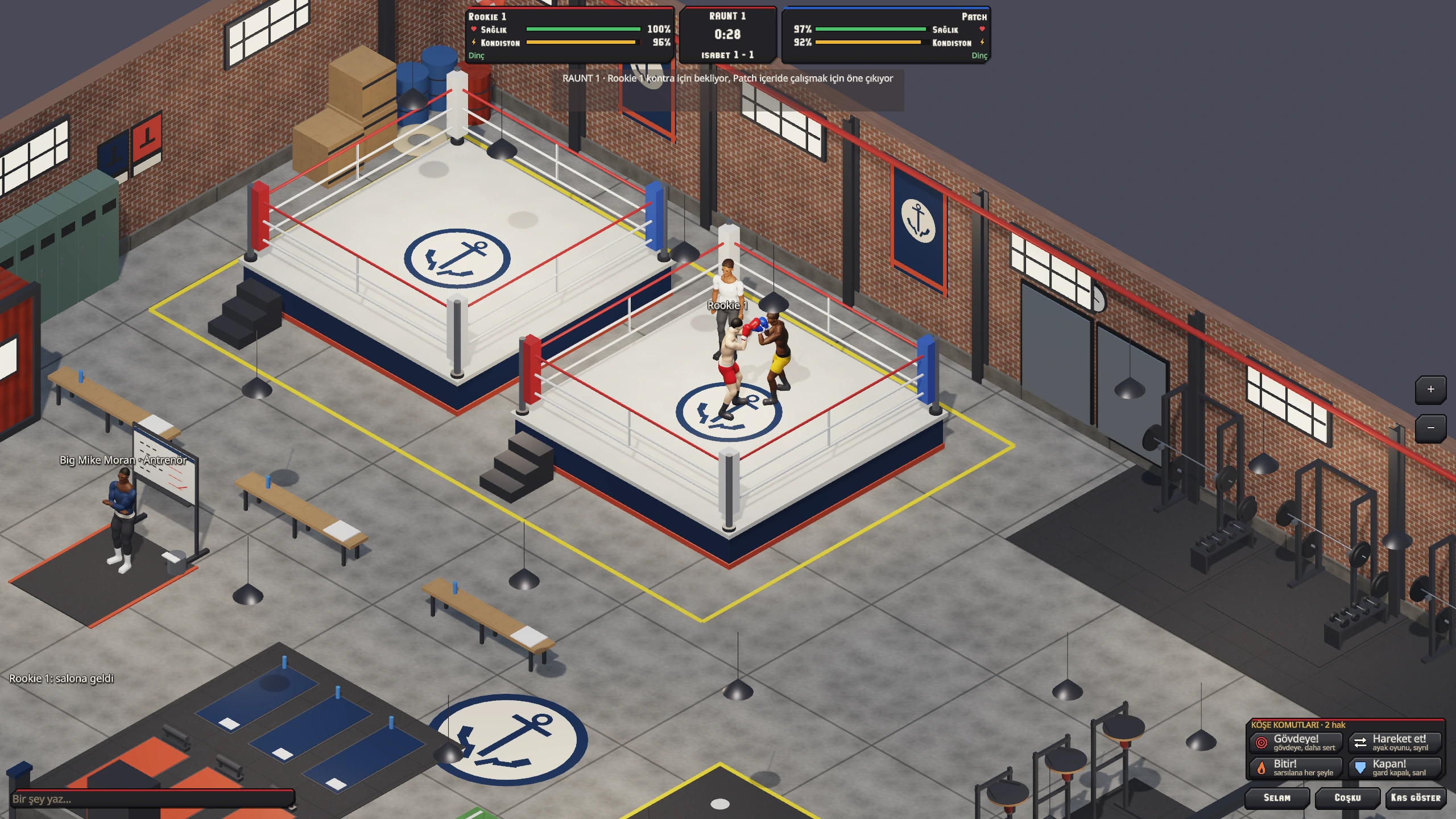
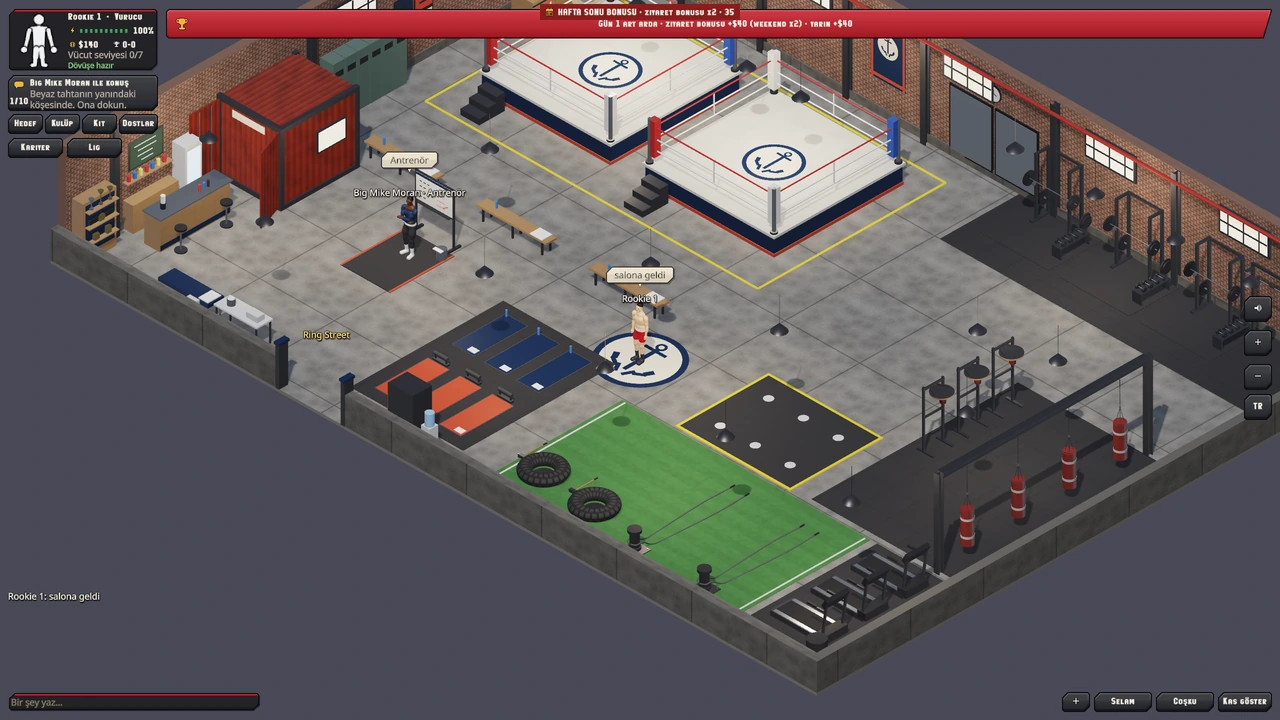
KNUX / GAMEPLAY & INTERFACE · ACTUAL GAME CAPTURE
A designed interface
Theme and UI-kit generation with nine-slice panels, buttons, rarity frames, icons, and portraits
Typeface generation, scalable text, typography styles, outlines, and drop shadows
Model-to-icon baking, radar charts, and vector HUD shapes
Responsive rows, columns, grids, scroll views, popups, and slide/fade motion
Made to be used
Buttons, sliders, toggles, dropdowns, text fields, and form validation
Keyboard, mouse, gamepad, and touch action mapping
Virtual sticks, safe areas, mobile HUD patterns, and the Android soft keyboard
Focus navigation, semantic labels, reduced-motion settings, and contrast inspection
Launch-link parameters and platform clipboard support
06 / MULTIPLAYER
One world. More people in it.
Players join an authoritative session through a server address. Shared game systems
handle replicated entities while the server owns the simulation.
Connect
Address-based joins and server admission tickets
Encrypted UDP and TLS-secured WebSocket connections for browsers
Automatic rejoin after a joined session is lost
Background network ticking when a page is hidden or a window is minimised
Synchronise
Replicated spawning, remote calls, and synchronised state
Client prediction, server reconciliation, and smooth remote presentation
Interest filtering and replicated sprite animation
Opt-in schema evolution for long-lived messages, plus transport flow control
Host
Dedicated servers and desktop host-and-play
Shared scene, script, animation, and simulation loading
Persistent worlds across server restarts
Connection limits and server tick-health diagnostics
Online deployments require server hosting. Accounts, lobbies, and matchmaking are game-specific integrations; large-scale internet qualification remains ongoing.
07 / AI-ASSISTED AUTHORING
Work in the editor. Work with an agent.
The built-in chat and external MCP clients can work with the live project: inspect its
state, use supported authoring tools, run the game, and examine the result.
01 / INSPECT
Know the project
Discover components and tools, read the scene, inspect assets, and check script diagnostics.
02 / AUTHOR
Make a change
Edit scenes and creative documents through the editor’s operations, with shared undo for supported edits and named checkpoints.
03 / PLAY
See it in context
Run scripted play sessions, start from prepared saves, inspect gameplay state, and capture screenshots—with host tooling for video and audio.
04 / ITERATE
Improve the result
Compare captures and regressions, measure behaviour, revise the source, and build the next playable version.
A live creative workspace
A hosted AI assistant can operate the editor’s tools without running an AI model on your computer. Local chat models are an optional choice.
Scene, terrain, pixel, music, material, model, animation, UI, dialogue, and effect tools expose structured operations.
Long-running jobs report progress and can be cancelled where supported.
Design Lab
Measure movement, traversal, interaction ranges, and camera framing with repeatable trials.
Overlays, gameplay traces, and scenario comparisons make the effects of a design change easier to examine.
GameSpec & Autonomous Studio Evolving
Structured game specifications become coordinated authoring plans spanning design, art,
sound, gameplay, and builds. Studio schedules the work and retains its outputs, with source planning for 60 Hz co-op projects across desktop, browser, and server.
The separate GameSpec execution path builds and tests bounded changes in an isolated project. Its current packaged verification path targets Linux x64.
Keep the making of
Production recording retains the authored sources and actual Player captures through an iteration.
Resume a session, record gameplay and audio, and export selected material for a project’s showcase.
08 / BUILD & DELIVERY
The same project. A different destination.
Scenes, assets, settings, and C# scripts live in one project. Build profiles prepare
that content for the engine’s shared desktop, browser, Android, and server Players.
Current development targets
Destination
Runtime
Delivery
Desktop
Native Vulkan, Direct3D 12, or Metal
Self-contained Windows, macOS, and Linux packages. Shared display, quality, audio, and input preferences.
Web
WebAssembly · WebGPU / WebGL2
Browser builds with a 3D compatibility renderer, compressed content shards, local caching, and deferred long-audio loading. Optional mixed AOT compiles engine code ahead of time while game scripts remain interpreted.
Android
Native Vulkan Player
Android App Bundle packaging, touch and keyboard integration, safe areas, haptics, and mobile-service adapters.
Server
Headless .NET Player
Authoritative simulation, join endpoints, persistent world storage, and operator diagnostics.
Prepare once, reuse the work
Import images, audio, fonts, and glTF models. Cook assets for the destination,
track terrain layers and cooked navmesh dependencies, and reuse a shared derived-data cache. Texture profiles handle normal maps,
alpha cutouts, and platform compression.
Get to the first frame
Content bundles load in shards, with compressed downloads and browser caching.
Long soundtrack clips can arrive after startup; compatible FLAC sources can also decode in slices during playback. Model delivery tools compact exported geometry,
while the asset pipeline prepares textures and keeps the editable sources separate.
Android Billing, advertising/consent, Firebase, and Play Integrity adapters require provider configuration and device/store validation. iOS, consoles, and VR/AR remain future targets.
09 / MADE WITH CONQREX
Tools become worlds.
Play the development builds, rotate the actual models, listen to the music, and follow
the making of each game.
COOKING · PARTY / IN DEVELOPMENT
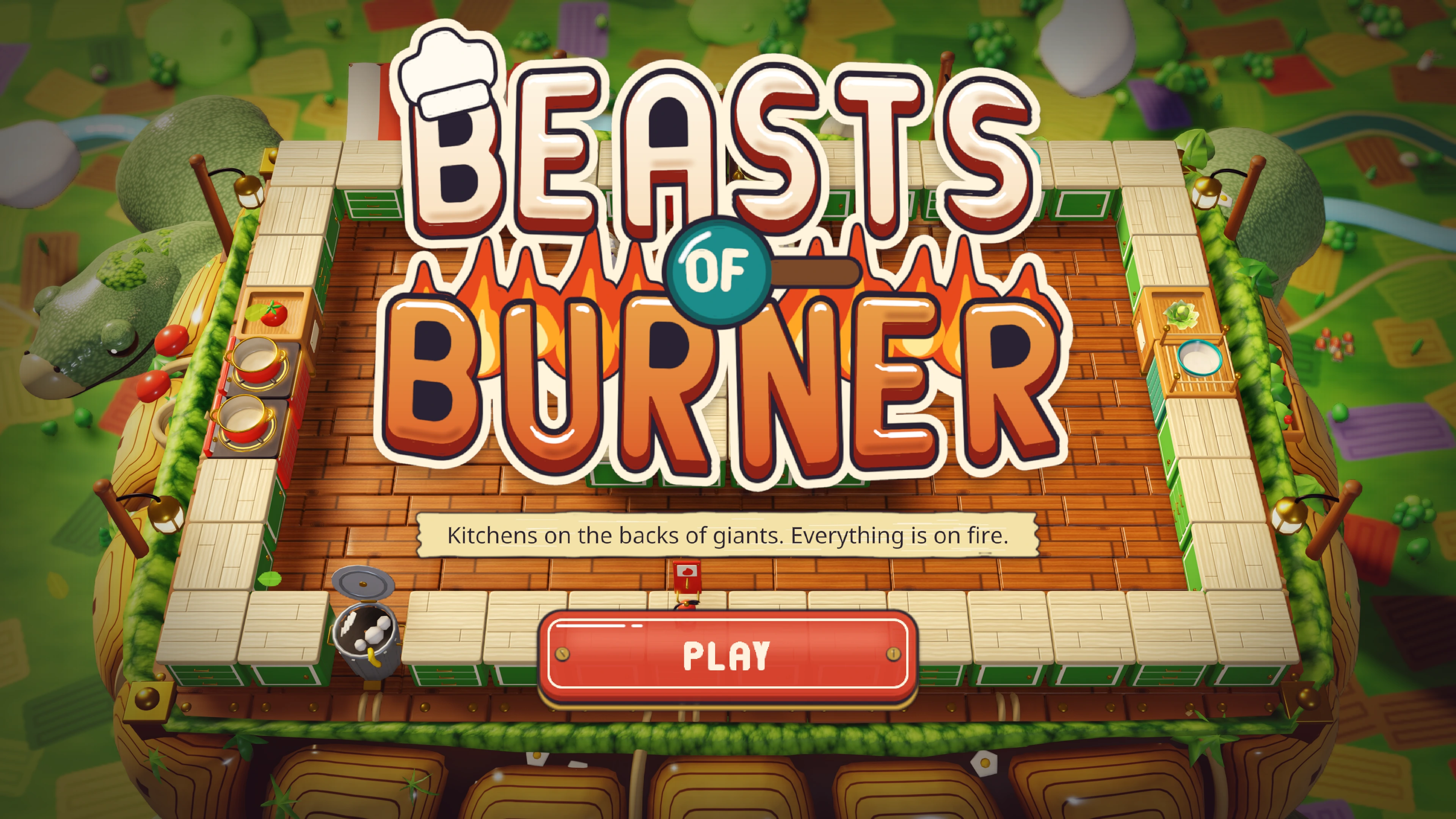
Beasts of Burner
Kitchens on the backs of giants. Everything is on fire.
We’re refining the tools through Beasts of Burner, Knux, and other projects. Broader device coverage,
rendering parity, music quality, and complex physics remain active areas of work.
Character studies now cover anatomy, topology, and early poses.
Advanced skin shading, hair, and full facial performance remain in development.
Public engine access is not available yet. Contact the studio about collaboration or future access.
A FEW THINGS YOU MIGHT BE WONDERING
Can I download Conqrex.Engine?
The engine is currently developed in-house. Public downloads are not available yet;
the showcase includes playable game builds. Get in touch about future access.
Does AI build the entire game automatically?
AI can carry out supported authoring, inspection, and playtest tasks. The live editor and
structured GameSpec workflows have different scopes. Making a finished game still involves creative direction,
gameplay development, and iteration on the results.
Is the interactive homepage running the engine?
The homepage is an interactive presentation of Astral Veil artwork and scene-authoring ideas.
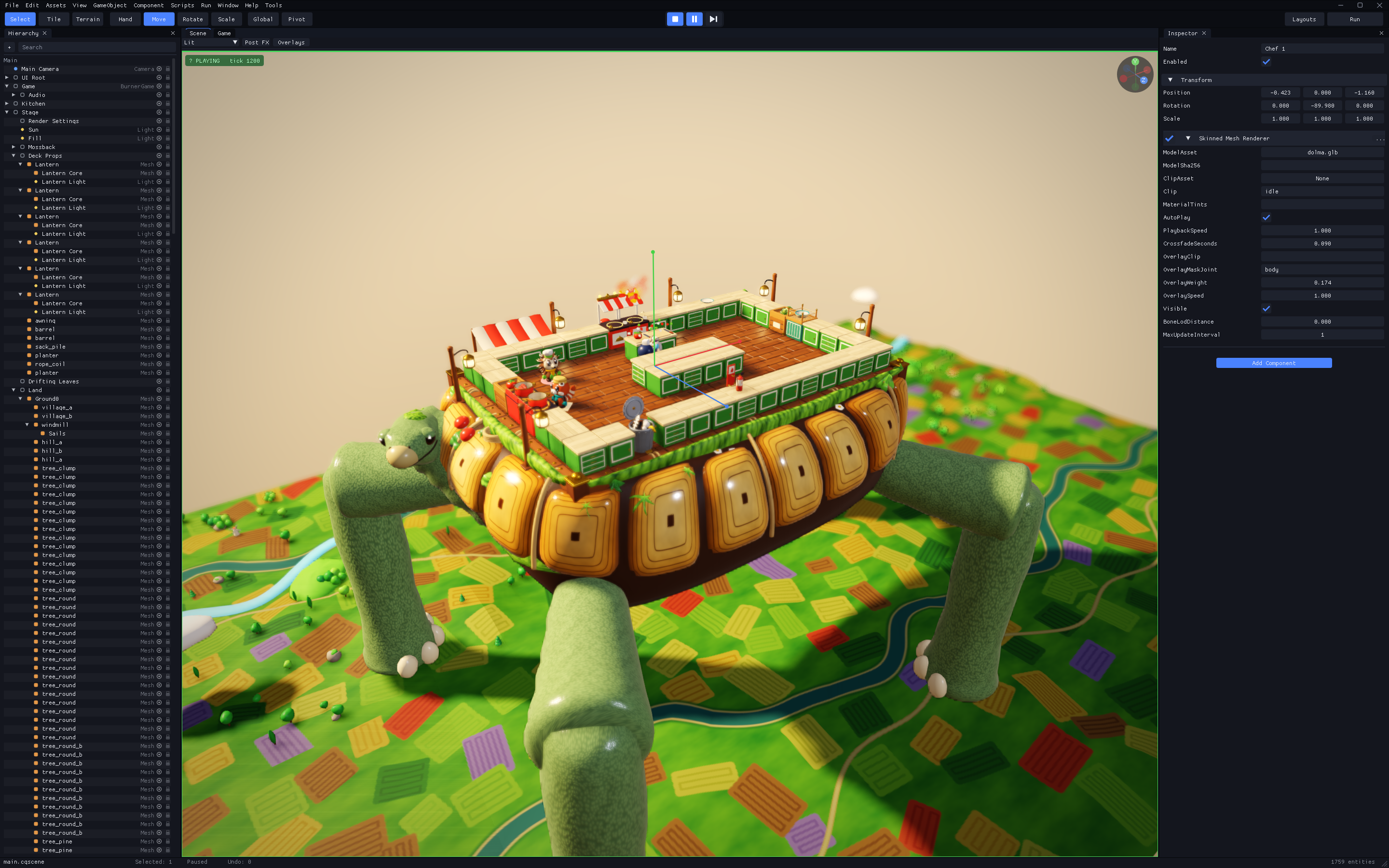
The editor image shows Beasts of Burner in the actual workspace. Follow the showcase’s play links to run the actual games.
Will every platform look and behave identically?
Projects share their gameplay systems and content. Rendering features, input, audio,
and platform services depend on the target; WebGL2 uses a reduced rendering tier. We continue testing
and improving each Player through the games we build.